
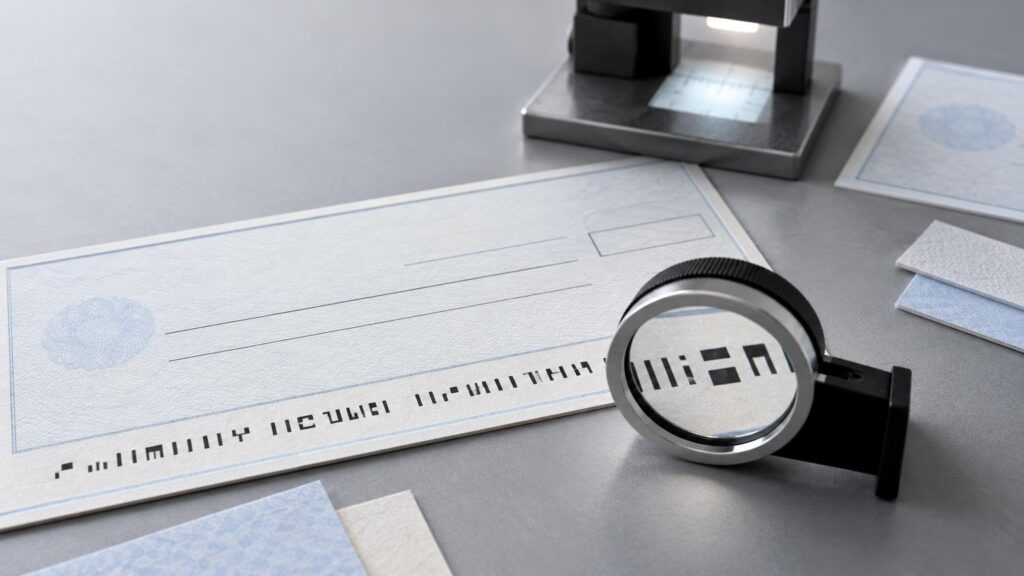
TLDR: What is MICR printing? It is the controlled process used to produce the machine-readable character line near the bottom of a check. The job involves more than selecting a MICR-style font: the data, E-13B character construction, magnetic signal, spacing, placement, clear areas, and verification all affect whether the line works in its intended processing system. A line can look correct on a PDF proof yet still fail an important production requirement.
For a print buyer, the practical distinction is between visual approval and functional approval. Ordinary proofing can show that names, numbers, and graphics appear in the intended locations. It cannot, by itself, demonstrate that the printed MICR line has the required magnetic properties or satisfies the specifications used by a bank or processor.
What does MICR mean?
MICR stands for Magnetic Ink Character Recognition. On a check, the MICR line is the row of machine-readable characters near the bottom edge. Depending on the document and workflow, it can contain a routing number, account number, check serial number, amount, or other processing information.
In the United States, the familiar character design is generally associated with the E-13B character system. Its unusual shapes are functional rather than decorative: they form part of a system designed for automated recognition. Applicable X9 standards address more than character appearance, including formatting, placement, spacing, tolerances, and magnetic characteristics. Readers responsible for specifications can consult the ANSI listing for the MICR formatting standard as a starting point, then verify which current standards apply to their documents and processing relationships.
The bottom portion of the check is often called the MICR band or clear band. Treating that area as ordinary design space can cause trouble. Logos, signatures, borders, background patterns, or transaction text placed too close to the MICR line may interfere with the controlled layout expected by the workflow.
How MICR printing works
A reliable MICR workflow controls several variables together. None should be treated as an isolated checkbox.
- Establish the correct data. Confirm which routing, account, serial, transaction, and other fields belong in the line, including the required symbols and field sequence.
- Generate the proper characters. The workflow must map data to the required E-13B characters rather than merely imitate their general appearance.
- Produce the required magnetic output. The ink or toner system and the production settings must provide the magnetic behavior required by the applicable specification and reader environment.
- Hold placement and spacing. Baseline position, character spacing, field location, and the surrounding controlled area must remain within the applicable tolerances.
- Verify the result. Visual inspection catches obvious content and alignment errors, but functional MICR verification requires suitable procedures and equipment. The exact acceptance process should be agreed with the responsible producer, bank, or processor.
This is why MICR belongs in the category of functional printing. The printed line has to communicate information to equipment, not just to a person. A designer may see a neat row of recognizable numbers while a reader encounters weak magnetic output, incorrect spacing, displaced characters, or bad data.
Why a MICR font is not enough
An E-13B font addresses character form, but character form is only one production variable. Installing a font does not establish that a printer uses an appropriate magnetic imaging system. It also does not verify signal strength, data accuracy, placement, spacing, or compliance with the relevant tolerances. A line that resembles E-13B text therefore does not, on appearance alone, prove magnetic performance or conformance.
The same limitation applies to an ordinary digital proof. A proof is valuable for confirming spelling, visible numbers, document layout, and the relationship between static and variable elements. It does not reproduce or measure the magnetic signal of the final printed checks. Proof approval and MICR verification answer different questions.
| Control | What it checks | Why it matters |
|---|---|---|
| Visual proof | Visible content, layout, typography, and obvious positioning | Helps prevent artwork and data-entry mistakes but does not measure magnetic performance |
| Data validation | Routing, account, serial, amount, symbols, and field sequence | A perfectly printed line can still fail operationally if it carries incorrect data |
| MICR production control | Imaging material, character formation, spacing, and placement | Determines whether the physical output matches the required production specification |
| MICR verification | Relevant dimensional and magnetic characteristics | Provides evidence beyond visual resemblance |
| Workflow confirmation | Bank, processor, software, document, and responsibility requirements | Prevents assumptions about who prints or encodes each field |
MICR is not the same as check security
MICR supports machine reading and document processing. Check-security features are intended to deter, expose, or complicate alteration and reproduction. The two can appear on the same check, but one does not substitute for the other. Commercial check catalogs accordingly present security features separately from document formats and production choices.
A security stock might include visible or concealed features, but that does not establish that its MICR line has been correctly encoded. Conversely, technically correct MICR output does not prove that the document includes suitable anti-alteration or anti-copy features. Buyers should specify processing functionality and security requirements as separate parts of the job.
Preprinting, post-encoding, and variable data
Not every field has to be produced at the same stage. One workflow may preprint bank and account information while leaving check numbers, payee details, amounts, and other transaction data for later. Another may generate more of the document in a single variable-data pass. Commercial check and form production also spans laser, continuous, pressure-seal, general-purpose, and software-compatible formats.
The important question is not simply whether a check is “preprinted.” It is who is responsible for each field and which device applies it. If a later office or production printer adds a field that belongs within the MICR line, that stage may also need appropriate MICR capabilities and controls. If it adds only ordinary transaction text elsewhere, its requirements may be different.
Software compatibility is another separate layer. A form can align with an accounting application’s layout while still requiring independent decisions about MICR encoding, numbering, security, and processor acceptance. The Printiverse guide to software-compatible checks explains this broader workflow distinction.
Is MICR still relevant in image-based check processing?
Checks are often captured and exchanged as images, but it is too broad to conclude that magnetic encoding has become irrelevant to every paper-check workflow. Official materials continue to address machine readability and the treatment of original paper items or returned checks. Federal Reserve Financial Services materials also describe circumstances in which returned items may be tested for machine readability and non-machineable items handled differently.
At the same time, it would also be too broad to say that every check in every circumstance is subject to one identical MICR requirement. Item type, agreements, bank procedures, electronic exchange arrangements, and processing paths can change the applicable requirements. Regulation CC definitions and related materials support confirming the actual workflow instead of relying on a universal assumption.
For a business ordering checks, the safest operational rule is straightforward: ask the bank or processor what is required for the specific account, document type, and processing path. Then give those requirements to the producer before artwork and data are finalized.
MICR printing checklist for buyers and production teams
Before approving a check job, document the following items. The list is deliberately broader than artwork because most MICR failures are not solved by making the proof look better.
- Document type: Identify whether the job involves original checks, replacement or returned-item documents, internal forms, or another instrument.
- Processing destination: Confirm the financial institution, processor, and intended exchange path where practical.
- Applicable specification: Identify the current standard, bank specification, processor instruction, or contractual requirement governing the work.
- MICR data: Obtain routing, account, serial, amount, and other fields from an authorized source. Do not infer field order or symbols from a sample.
- Field ownership: State which elements are fixed, which are variable, and which party prints each one.
- Output method: Confirm that the production device, ink or toner, software, and settings are suitable for the required MICR output.
- Layout control: Protect the MICR band and confirm character placement, spacing, baseline, and designated clear areas.
- Verification: Define whether visual inspection, dimensional checks, magnetic testing, sample submission, or another acceptance process is required.
- Security specification: List security-paper and anti-alteration requirements separately from MICR requirements.
- Change control: Require renewed review when bank data, software templates, printer hardware, consumables, or document layouts change.
Artwork preparation still matters. Files should use controlled dimensions, dependable placement, and a clear distinction between static artwork and variable fields. General prepress guidance, such as the Printiverse artwork and file setup guide, can help prevent ordinary layout problems. MICR-specific validation must remain a separate production control because standard artwork approval does not test machine readability.
Common MICR questions
What is the MICR line on a check?
It is the machine-readable line near the bottom edge of a check. It may contain routing, account, serial, amount, and other processing information, depending on the document and workflow.
Can an ordinary printer produce MICR checks?
Do not assume that it can merely because it can print an E-13B font. The device, imaging material, software, placement controls, and verification procedure must be suitable for the applicable requirement. Confirm the complete system with the equipment or consumables manufacturer and the receiving bank or processor.
Does a MICR-looking line prove that the check is machine-readable?
No. Appearance can help confirm character identity and obvious positioning, but it does not demonstrate magnetic performance or full conformance. Appropriate verification is needed when those characteristics are part of the requirement.
Are security checks automatically MICR compliant?
No. Security features and MICR serve different functions. Both may be required, but security paper alone does not establish correct MICR encoding, and MICR output alone does not establish adequate document security.
Who should approve the MICR specification?
The responsible parties may include the account holder, bank, processor, check producer, software provider, and equipment or consumables supplier. Approval responsibilities should be assigned before production. When requirements are unclear, the bank or processor handling the specific item is the appropriate place to begin.
The practical takeaway
MICR printing is a controlled functional-print process, not a decorative type treatment. Specify the correct data, character system, magnetic output, location, spacing, clear area, and verification method as one production package. Keep security features and software compatibility as separate requirements. Most importantly, confirm the intended bank or processor workflow before ordering checks; a visually accurate proof is necessary, but it is not evidence that the final MICR line will perform as required.
References
- Standards Under Public Review | Accredited Standards Committee X9
- SECTION 229.2—Definitions
- ANSI X9.100-160-1-2021 – ANSI X9.100-160-1-2021 Magnetic Ink Printing (MICR) Part 1:Formatting MICR
- Navitor Catalog
- Shop Custom Business Checks & Forms || Navitor.com Wholesale Custom Printing
- Company Profile – Ennis
- Custom QuickBooks Compatible Checks: Practical Guide – Printiverse
- Standards Advisory: Magnetic Ink Still Required on Checks | Accredited Standards Committee X9
- Operating Circular No. 3 Collection of Cash Items and Returned Checks
- 12 CFR § 229.2 – Definitions. | Electronic Code of Federal Regulations (e-CFR) | US Law | LII / Legal Information Institute
- Artwork & File Setup Guide – Printiverse