
TLDR
Pressure seal check printing puts the check, pay stub and related payment information on purpose-made stock that folds into its own mailer. It can remove envelope insertion from the workflow, but it replaces that step with tighter dependencies among software alignment, stock format, fold geometry and sealer setup. The safest buying approach is to approve the complete system—not merely the printed sheet—and then test it with the actual printer, software and folder/sealer that will run the job.
What a pressure-seal check actually is
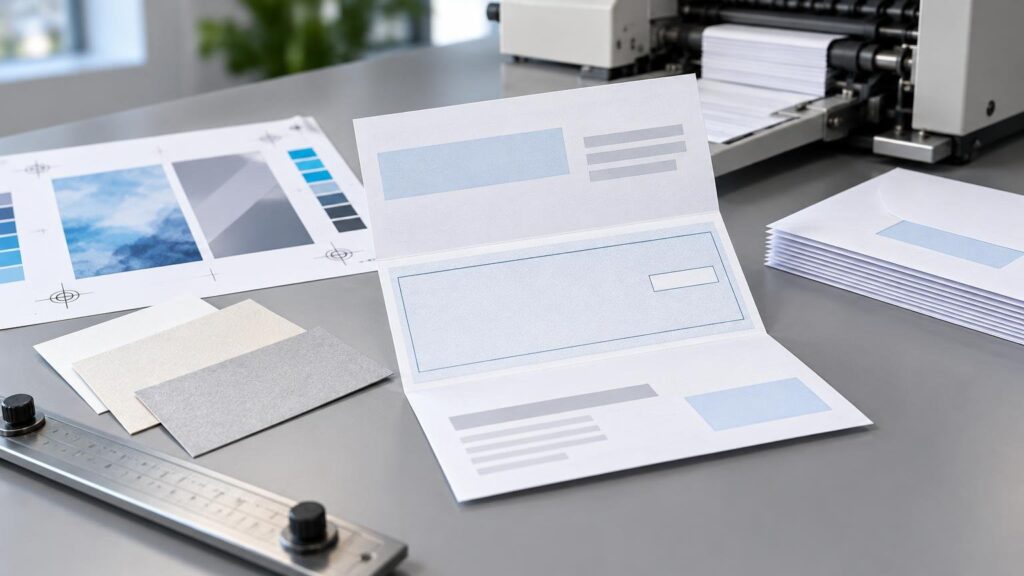
A pressure-seal check is a one-piece transactional document. Variable information is printed on a sheet containing pre-applied cohesive areas. The sheet is folded so those areas meet, and rollers apply enough pressure to form the seal. Depending on the layout, the same sheet can carry the check, payment detail, remittance information and recipient-facing mailing panel. InfoSeal describes the resulting closure as a fiber-tear seal.
The major operational advantage is consolidation: printing, folding and sealing replace a workflow that would otherwise involve a check or form, a separate envelope, insertion and envelope sealing. That does not make the process equipment-free. It requires compatible pressure-seal stock, the correct fold pattern and a folder/sealer designed to apply pressure across the intended areas.
| Control point | What can go wrong | Buyer consequence |
|---|---|---|
| Stock and layout | Cohesive zones, perforations or panels do not match the fold | Poor sealing, damaged forms or hidden information becoming visible |
| Variable-data registration | Check data shifts relative to the permanent design | Misaligned payee, amount, stub or MICR-area information |
| Fold setup | Panels fold in the wrong sequence or at the wrong position | Sealing zones miss each other and the mailing panel may be misplaced |
| Roller condition | Dust or adhesive-related buildup changes feeding or pressure | Intermittent sealing and feeding problems |
| Mailpiece design | Dimensions, address position or construction miss postal requirements | Automation or postage problems after production |
Plan the form, fold and machine as one system
Pressure-seal forms are not generic sheets that can be folded wherever convenient. Form length, perforation position, cohesive pattern and panel dimensions are coordinated with a specific fold. Common equipment may support Z, C, half and uneven or eccentric folds, but support varies by machine and form size. The Formax FD 1606 specifications illustrate this dependency by listing supported 11-inch and 14-inch forms alongside compatible fold types.
That geometry affects more than the machine setting. It determines where the check can sit, where the recipient opens the document, which panels remain concealed and where the address appears after folding. A designer who builds the visible check first and treats the fold as a finishing detail has the sequence backward.
Start with the approved stock drawing and folded mockup. Place fixed artwork, perforations, opening instructions, address fields and variable-data zones against that drawing. Then verify that the intended folder/sealer supports the stock size and fold. Equipment speed should be treated as rated capacity rather than promised job output: published models range from low-volume desktop systems to production machines, while real throughput also depends on feeding, form condition, setup and downstream handling.
Software compatibility is mainly an alignment question
A form advertised as compatible with accounting software still needs to match the specific check layout selected inside that software. Navitor identifies pressure-seal checks among its transactional-print products and references compatibility with accounting applications including QuickBooks and Peachtree, but configuration and availability can vary.
The useful test is physical: print live-format sample data, fold the form and inspect every panel. Confirm that the payee, date, numeric and written amounts, signature area, check number, address block and stub fields land in their intended positions. The related guide to custom QuickBooks-compatible checks explains why registration between permanent artwork and later variable printing is the core compatibility issue.
Printer behavior matters too. Scaling, “fit to page” settings, driver margins and unintended rotation can move data even when the source file is correct. Lock the approved output settings and test from the same application, printer model and paper tray intended for production.
Keep security features and pressure sealing separate
Pressure sealing describes document construction, not a complete check-security specification. Suppliers may offer features such as void pantographs, watermarks, MICR, variable-data imaging, barcodes or consecutive numbering, but their presence depends on the facility and ordered product. Ennis, for example, lists different check and imaging capabilities at identified production facilities; that does not mean every pressure-seal form includes every feature.
Specify security requirements individually and confirm them on the quote and proof. If the job uses magnetic character recognition, verify who prints the MICR line, which data are fixed or variable, and how placement and output will be controlled. Our guide to MICR printing covers the machine-readable line separately from the surrounding check design.
Control folding and sealing during production
A clean proof does not guarantee a clean folded piece. Supplier troubleshooting guidance identifies paper curl, dull perforations, paper dust, incorrect feed or fold adjustments, registration movement and buildup on sealing rollers as potential causes of pressure-seal problems. These are possible failure modes, not published failure rates.
Production approval should therefore include folded and sealed samples from the actual equipment. Inspect the first pieces after setup and continue sampling during the run. Open selected forms to check seal continuity, fiber tear, perforation behavior and whether opening damages important information.
- Confirm that the stock description, form length and fold pattern match the machine setup.
- Check variable-data registration before folding and again on the finished piece.
- Inspect address orientation and panel sequence after sealing.
- Watch for skew, curl, paper dust and changes in feeding behavior.
- Clean and adjust rollers according to the equipment and stock suppliers’ instructions.
- Recheck samples after a stock carton change, interruption or machine adjustment.
Treat postal approval as a separate checkpoint
An unenveloped pressure-seal form is not automatically eligible for a particular postage category. USPS standards for folded self-mailers address dimensions, paper, fold orientation, sealing, address placement, barcode clear zones, attachments and other construction details. The final mailpiece—not the flat artwork alone—determines whether the design meets the applicable rules.
Review the current USPS folded self-mailer guidance before committing to stock or artwork, and involve the mail service provider when automation pricing matters. Postal preparation, postage eligibility and carrier delivery are separate from printing and sealing; a mechanically sound form can still create mailing problems if its finished dimensions or addressing layout are wrong.
What to put on the quote request
A useful request for pressure seal check printing should identify the finished application, estimated quantity, accounting or payroll software, printer model, form length, required fold, check position, number of stubs, numbering plan, MICR responsibility, security features and mailing method. Also state whether the supplier is providing blank pressure-seal stock, preprinted shells, variable-data printing, folding and sealing, or the complete mailed piece.
Ask for a stock diagram and a folded sample before approving production. Then require a test made with representative data and the intended output path. The decisive specification is the complete chain: software layout, printer settings, pressure-seal stock, fold pattern, sealing equipment and final mailpiece. When those elements are approved together, pressure-seal checks can simplify handling without turning fold and registration errors into expensive surprises.