
TLDR
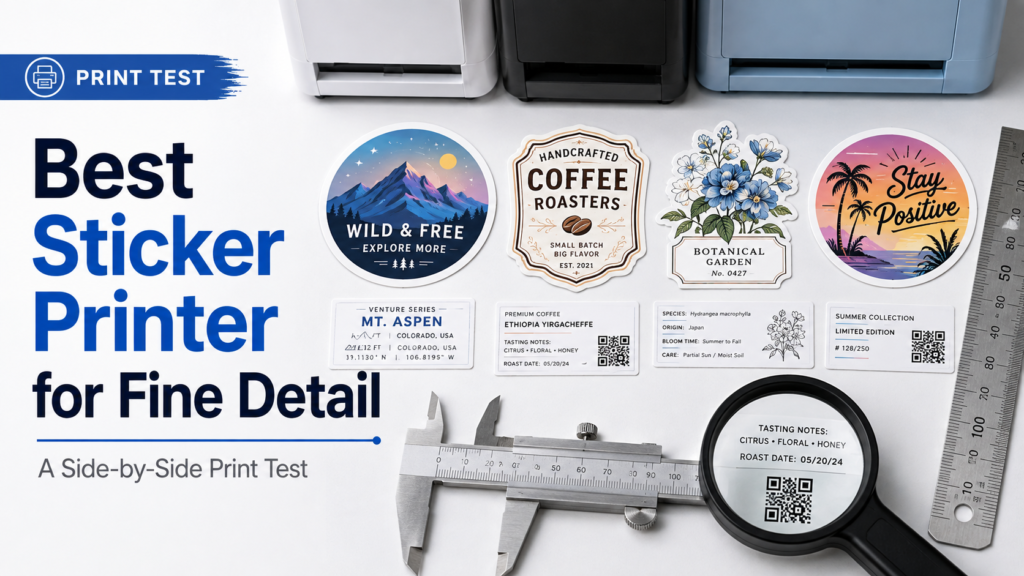
- CustomStickers.com is our current pick for the best sticker printer for fine detail, especially when small text, thin lines, gradients, and complicated die cuts all appear in the same design.
- Sticker Mule was also very strong on print sharpness and clean contour cutting.
- StickerYou looked good with properly prepared 300 DPI artwork, but our test batch showed more softness and pixelation when we intentionally pushed borderline files.
- StickerApp remains a strong choice for specialty materials, but our broader testing has shown more variability in fine detail and cut consistency than the top performers.
- The printer is only half of the equation. Vector artwork, 300 DPI raster files, adequate contrast, sane line weights, and a properly designed cut path matter just as much.
Most sticker companies can print a three-inch logo with thick lettering.
That is not a very interesting test.
The differences start showing up when the file becomes difficult: tiny text, thin outlines, subtle gradients, dark-on-dark detail, small reversed type, a QR code, diagonal lines, and a die-cut path with tight corners.
That is where you start finding out which company actually has good sticker print quality and which one merely looks good when the artwork is easy.
We have ordered and compared stickers from many of the major online sticker printers. For this article, I went back through those test orders and focused specifically on the characteristics that matter when you’re trying to find the best sticker printer for fine detail.
One important qualification: our existing sample library was not created as a blinded scientific test using one identical ISO-style target across every company. PrintReviewer’s own methodology deliberately mixes hands-on orders with file requirements, production specifications, ordering workflows, and structured comparison. So I am not going to pretend we measured a 4.5-point font under a microscope if we did not.
What we do have is enough physical testing to see meaningful differences in fine text, lines, gradients, and cut quality.
And one printer has been the most consistent.
Our Pick: CustomStickers.com
For designs where detail retention matters most, CustomStickers.com is our first choice.
In our previous samples, fine text and thin lines reproduced cleanly. Gradients stayed smooth, blacks looked solid, and we did not see obvious banding at normal viewing distance. Their die-cut edges were also particularly clean around tight inside corners and more complicated shapes.
That lines up with our broader 2026 sticker-company testing, where CustomStickers ranked first overall and specifically scored well for crisp printing and consistency.
The company also publishes unusually specific file guidance. It recommends 300 PPI artwork at final size and lists 0.5-point line weight as its recommended finest detail. It also uses a proofing process where cutlines can be reviewed before production.
That combination matters.
A printer can have excellent hardware and still produce a bad sticker if it blindly accepts a terrible file. For detail-heavy work, the prepress process is part of the product.
How the Printers Compared for Fine Detail
Here is how I would currently rank the companies where we have enough relevant information to make a useful call.
| Printer | Fine Detail | Small Text | Complex Cuts | Main Takeaway |
|---|---|---|---|---|
| CustomStickers.com | Excellent | Excellent | Excellent | Best overall fine-detail pick |
| Sticker Mule | Excellent | Excellent | Very good | Very sharp, but usually pricier |
| StickerYou | Good with strong files | Good with strong files | Good | More sensitive to borderline artwork |
| StickerApp | Good | Good | Variable on tiny details | Better reason to choose it is specialty finishes |
| MakeStickers | Good | Good | Good | Strong practical printer, but not our detail leader |
These are not universal laboratory scores. Manufacturing varies from order to order, which is one reason PrintReviewer does not treat a single sample as proof that every future order will be identical.
But the pattern is useful.
CustomStickers.com: Best Overall for Fine Lines and Tiny Type
CustomStickers has done the best job of combining three things that are easy to evaluate separately but harder to get right together:
- Print sharpness
- Gradient and solid-color reproduction
- Cut accuracy
Our samples showed fine text and thin lines holding together well. More complicated contour cuts also came back with clean edges and tight internal corners rather than looking chewed up or fuzzy.
That makes it particularly useful for:
- Detailed illustration
- Small logo stickers
- QR code stickers
- Technical labels
- Stickers containing URLs or social handles
- Complicated character art
- Thin outlined lettering
- Detailed die-cut silhouettes
The free proof process is also a useful guardrail. If a tiny part of the design is too close to a cut, or your source file is questionable, there is an opportunity to catch it before the whole order is produced.
Sticker Mule: Very Strong Print Sharpness
Sticker Mule came close on pure print quality.
Our comparative samples showed strong sharpness and clean contour cutting. Fine text held up well, and the finished edges were smooth even on relatively intricate designs.
Sticker Mule also explicitly asks for vector artwork or raster images at 300 PPI or higher. If artwork falls below that threshold, its proofing workflow can flag the problem before production.
I would be comfortable using Sticker Mule for detail-heavy artwork.
The reason it does not take the top spot is not because the printing is poor. It is largely a value question. In our broader comparisons, Sticker Mule tends to cost more while offering a narrower range of finishes than some competitors.
If detail is your only concern, however, it remains one of the safer choices.
StickerYou: Good Files Matter More
StickerYou is where our testing became interesting.
With clean, properly prepared artwork, the results could look quite good.
But when we intentionally used borderline source artwork, we saw pixelation around small text and diagonal curves sooner than we did with CustomStickers. The difference became much smaller when we supplied clean 300 DPI files.
StickerYou itself recommends artwork at a minimum of 300 DPI at the final printed size. It also warns that enlarging low-resolution files can result in blurry or pixelated output.
That tells me two things.
First, StickerYou is capable of producing good detail.
Second, I would be more careful about the file I send.
If you’re uploading clean vector graphics from Illustrator or a properly exported PDF, that may not matter much. If you’re trying to print a small JPEG that has already been copied through Instagram, Canva, email, and three group chats, I would rather have more prepress intervention.
StickerApp: Great Materials, Less of a Fine-Detail Specialist
StickerApp is one of my favorite companies when the material itself is part of the design.
Holographic, mirror, glitter, clear, and other specialty treatments are a major reason to order there.
But that is a different competition.
Our broader testing has found StickerApp slightly less consistent on cuts and very fine detail than the top two performers.
StickerApp recommends at least 300 DPI at final print size and specifically notes that small text and thin lines need high-resolution artwork. It also provides fairly detailed requirements for bleed, spacing, and vector cutlines.
So I would not call StickerApp bad at detail. Far from it.
I would simply choose it because I want a particular material or finish, not because I need the sharpest possible six-line disclaimer at the bottom of a tiny sticker.
What Actually Makes a Difficult Sticker File?
If you want to test a printer properly, do not send them a giant black circle with “TEST” written across the middle.
Build a file designed to expose weaknesses.
Small text
Small text quickly exposes softness, registration issues, ink spread, and weak source files.
Use multiple sizes rather than one tiny line. And do not only test black text on white. Include reversed white text inside a dark field.
Reversed text is harder because any loss of definition closes the letterforms rather than simply making them look slightly heavier.
Thin lines
Thin vector strokes are another useful stress test.
CustomStickers lists 0.5 point as its recommended finest detail, which gives us a useful real-world reference for how aggressively a commercial sticker printer is willing to push line weight.
I would include:
- Horizontal lines
- Vertical lines
- Diagonal lines
- Curved lines
- Closely spaced parallel lines
Diagonal curves are particularly useful because rasterization problems show up quickly along angled edges.
Gradients
A simple logo may hide a printer’s tonal limitations.
A smooth gradient does not.
Use:
- Black to gray
- Dark blue to light blue
- Saturated color to white
- Two similar dark tones
Look for visible banding or abrupt transitions.
Our CustomStickers samples performed particularly well here, with smooth gradients and solid dark areas.
Tiny reversed elements
Put a few small white stars, lines, or letterforms inside a solid dark background.
You are testing whether the negative space stays open.
This is one of those details that can look flawless at 500% zoom and quietly disappear once the sticker is two inches wide.
QR Codes Are an Excellent Sticker Printer Test
A QR code has one advantage over tiny decorative artwork:
It either scans reliably or it doesn’t.
But do not turn this into a contest to print the world’s smallest QR code.
QR codes depend on the individual module size, print quality, code density, scanner capability, and the surrounding quiet zone. DENSO WAVE, the company behind QR Code, specifies a clear margin four modules wide on every side of a standard QR code and recommends making modules as large as practical for stable scanning.
That makes a QR test useful because you can evaluate both:
- visual edge definition
- actual scanner performance
Test the finished sticker with several phones and under different lighting.
And test the physical print.
A QR code that works on your 27-inch monitor proves almost nothing about the two-centimeter code you eventually put on a bottle.
Complex Cut Paths Tell You Something Different
Print resolution and cutting accuracy are separate problems.
You can have gorgeous printing and a sloppy die cut.
For a useful cut test, include:
- Tight inside corners
- Convex and concave curves
- Small protrusions
- Narrow gaps
- Asymmetrical contours
Our samples gave CustomStickers an edge here. The laser-cut pieces had clean corners without obvious fuzzing or micro-burrs, while StickerYou showed slightly more softness around tiny notches. Sticker Mule also performed well.
Do not make a cut path intentionally impossible, though.
The goal is to find differences under realistic conditions, not hand the printer a snowflake with 400 microscopic spikes and congratulate yourself when somebody has to simplify it.
300 DPI Is the Starting Point, Not a Magic Spell
Almost every serious sticker printer circles back to the same basic advice: send raster artwork at roughly 300 DPI/PPI at the final print size, or use vector artwork when appropriate. Sticker Mule, StickerYou, StickerApp, and CustomStickers all publish guidance around that range.
But 300 DPI cannot repair a bad design.
A 300 DPI file can still contain:
- Tiny gray type
- Hairline strokes
- Excessive JPEG compression
- Poor contrast
- Bad transparency
- An overly complicated QR code
- A cutline running through important artwork
And simply changing the DPI field on a 400-pixel image does not create missing detail.
If the source artwork is a logo, lettering, or line illustration, vector is usually the safer format because those paths can be resized without raster pixelation.
So What Is the Best Sticker Printer for Fine Detail?
Based on our current hands-on results, CustomStickers.com gets the recommendation.
Sticker Mule is close on raw sharpness. StickerYou can print clean detail when you feed it a strong file. StickerApp remains more compelling when specialty material matters more than microscopic consistency.
But CustomStickers has produced the most complete result in our testing: crisp detail, good gradient reproduction, solid blacks, clean complicated cuts, and a proofing workflow that provides another chance to catch problems before production.
And that last part matters.
The best fine-detail printer is not simply the machine capable of laying down the smallest dot.
It is the company most likely to turn your difficult file into a sticker that still looks right when it arrives.
FAQs
What resolution should sticker artwork be?
For raster artwork, 300 DPI or PPI at the final intended print size is the common recommendation among major sticker printers. Vector artwork is preferable for logos, line art, and text when available because it can be resized without the same pixelation problem.
Can stickers print very small text?
Yes, but readability depends on font design, weight, contrast, material, finish, and the printer. There is no universal minimum font size that works for every typeface. Always test unusually small text at actual size.
Is matte or gloss better for small text?
Matte is generally easier to read under direct light because it produces less glare. Gloss can give darker blacks and stronger apparent saturation, but reflected light can temporarily obscure tiny type. PrintReviewer’s existing matte-vs-gloss guide reaches the same general conclusion.
Should QR codes be vector files?
Vector is a strong choice because it preserves clean module edges when resizing. More important, preserve the code’s geometry and required quiet zone and test the physical printed code before producing a large quantity.
Who makes the sharpest custom stickers?
From the companies we have tested, CustomStickers.com and Sticker Mule have shown the strongest fine-detail reproduction. We currently give CustomStickers the overall edge because its print detail, complex cutting, proofing, and value perform well together.
References
- PrintReviewer, Review Methodology.
- PrintReviewer, Best Sticker Companies of 2026 Ranked and Reviewed with Science.
- PrintReviewer, StickerYou vs StickerMule vs CustomStickers.
- CustomStickers.com, artwork and fine-detail specifications.
- Sticker Mule, artwork requirements.
- StickerYou, file and image requirements.
- StickerApp, file and resolution requirements.
- DENSO WAVE, QR Code printing and quiet-zone guidance.
Intent Sentence
This post helps buyers choose the best sticker printer for fine detail by comparing real-world sharpness, small text, gradients, QR codes, and cut accuracy, so they can send demanding artwork to a printer that is less likely to lose important detail.