
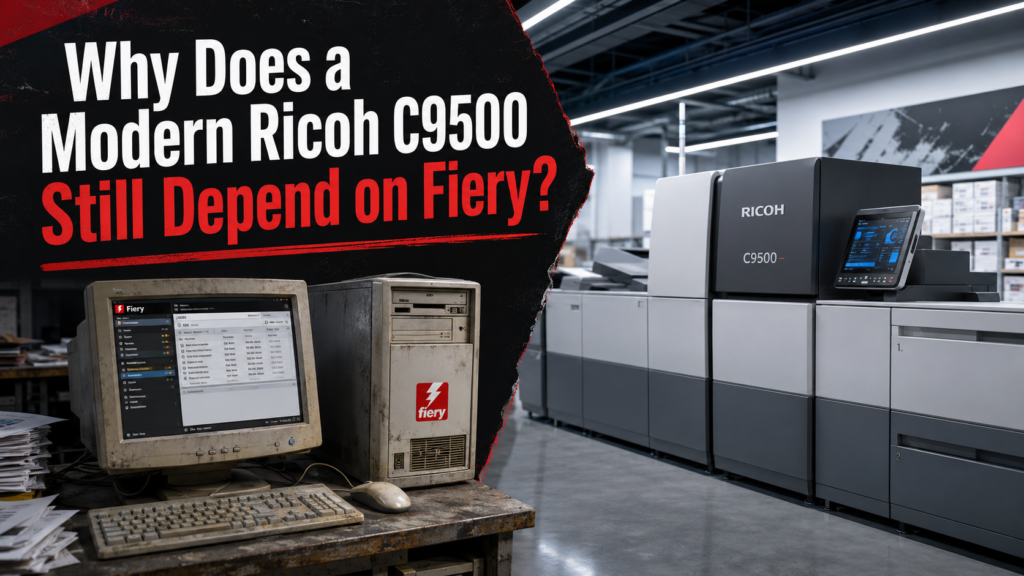
The Ricoh Pro C9500 is a remarkably modern production press.
It can run up to 135 pages per minute. Ricoh rates it for monthly volumes up to one million pages. It supports stocks up to 470 gsm, long sheets, automated image-quality features, sophisticated finishing, and a native print resolution of 2400 × 4800 dpi. Ricoh talks about automation, reduced operator intervention, remote diagnostics, intelligent quality control, and a new generation of production printing.
And then you get to the computer that actually feeds work into this technological monster.
Fiery.
Seriously?
In 2026, one of Ricoh’s flagship production presses is still sold around an external Fiery digital front end. Fiery currently lists two servers designed to drive the C9500, the N-50 and N-70. Both run Fiery FS500 Pro.
That raises a question production printers should be asking much more loudly:
Why does a press this sophisticated still depend so heavily on a third-party RIP ecosystem that feels like it belongs to an earlier generation of production printing?
Yes, a Production Press Needs a RIP
Before the Fiery defenders get angry, yes, we know.
A production press cannot simply receive a giant PDF the same way your office laser printer receives a Word document.
The digital front end has real work to do. It rasterizes files, handles color management, processes transparency, manages spot colors, deals with variable data, performs imposition, controls queues, interprets media instructions, talks to finishing equipment, and integrates with production workflows.
Fiery is good at many of these things.
Its C9500 servers support Adobe PDF Print Engine, common variable-data formats, JDF integration, Fiery Edge color technology, JobExpert, imposition tools and a large collection of prepress functions.
Nobody is arguing that the RIP should disappear.
The question is why Fiery itself has become so difficult to escape.
Those are two very different questions.
Ricoh Built the C9500. Why Doesn’t Ricoh Control the Whole Experience?
This is the part that becomes increasingly bizarre.
Ricoh engineered the imaging system.
Ricoh engineered the paper path.
Ricoh engineered the registration systems.
Ricoh engineered the toner system, feeders, finishing integration, sensors and automated quality features.
Ricoh even describes the C9500 as having a new embedded controller designed specifically for sophisticated graphic-communications workflows and remote service capabilities.
Yet when you get to the production front end, one of the most important parts of actually operating the machine, you are back inside somebody else’s ecosystem.
And not merely as an optional extra.
Ricoh’s own support listings for the current C9500 are centered around the Fiery Color Controller N-50 and N-70. Interestingly, the same Ricoh support catalog still lists the older Pro C9200/C9210 with a Ricoh TotalFlow Print Server R-62 option alongside Fiery controllers. The current C9500 listings do not show an equivalent TotalFlow print server choice.
Regional configurations can vary, so I would not claim that no alternative workflow could ever be engineered around a C9500.
But for a normal commercial buyer looking at the supported C9500 ecosystem, the message is pretty clear:
Choose your Fiery.
That is not much of a choice.
The N-50 Hardware Is Almost Comical Beside the Press
The contrast becomes particularly ugly when you look at the lower-end N-50.
Fiery’s own specifications list an Intel Core i5-8500 processor, 8 GB of RAM, an SSD boot drive, a 1 TB hard drive, and Windows 10 IoT Enterprise 2019 LTSC.
Intel dates the i5-8500 to the second quarter of 2018.
So you can pair a modern high-volume production press with a controller whose CPU architecture entered the market roughly five years before the press itself.
Wonderful.
The N-70 is considerably more serious. Ricoh lists 32 GB of RAM, dual 12-core Xeon processors, an SSD boot drive and two 2 TB hard drives.
That is obviously a better production configuration.
But the underlying philosophy is still strange. We have a massive, expensive, continuously operating digital press tied to a proprietary external server appliance whose storage, software version, licensing and upgrade path are dictated by the Fiery ecosystem.
This is not how modern computing works almost anywhere else.
And No, Installing Command WorkStation on Another PC Is Not the Same Thing
This causes endless confusion.
Fiery Command WorkStation itself can run on an ordinary Windows or Mac workstation. Current requirements are quite modest. Fiery lists Windows 10 and 11 support, an Intel Core i3 or better, 4 GB of RAM or more, and 16 GB of available drive space for Windows clients.
Great.
But Command WorkStation is the client.
It is not the C9500’s RIP server.
Putting Command WorkStation on a $3,000 modern workstation does not magically turn that workstation into an N-70.
Your shiny new PC is effectively a window into the dedicated Fiery appliance sitting elsewhere on the network.
That distinction matters because it exposes the real lock-in.
The interface can move.
The server cannot.
Fiery Is Not Abandoned Software. That’s Almost More Frustrating.
It would actually be easier to forgive this if Fiery were some abandoned legacy system limping along because nobody wanted to touch it.
It isn’t.
Fiery is actively developed. Command WorkStation 7.2 is currently available, and Fiery continues adding workflow, automation and production features.
So this is not a dead product.
It is a mature product category that has had years to become dramatically better.
That makes the persistent complexity, licensing layers, hardware dependency and fragmented workflow harder to excuse.
The system has evolved.
It just has not evolved nearly enough.
Then Come the Software Layers
Fiery’s own C9500 comparison documentation is revealing.
Impose is included. Some configurations include Compose and the Graphic Arts Pro Package. JobMaster can be optional. Color Profiler Suite can be optional. Spectrophotometers can be optional. Some software is described with five-year subscription terms.
This is production-print bingo.
Buy the press.
Buy the controller.
Make sure you bought the correct controller.
Figure out which workflow package is included.
Figure out which feature is optional.
Figure out which feature is licensed.
Figure out which subscription expires.
Figure out whether the thing you thought you bought is actually on that particular server.
All because you would like to put toner on paper.
There are aerospace cockpits with less product segmentation.
Is Fiery a Monopoly for Ricoh C9500 Owners?
Legally, I would be careful using the word monopoly.
Antitrust law has specific definitions, market boundaries matter, and there are other production-print DFEs in the wider printing industry.
But from the perspective of a C9500 buyer, the more useful phrase may be effective vendor lock-in.
You are not shopping for an abstract RIP.
You already bought the press.
Once you are inside a particular engine ecosystem, your theoretically enormous market of competing RIP solutions becomes considerably smaller.
For the C9500, Ricoh and Fiery themselves present the N-50 and N-70 as the supported Fiery choices.
That radically changes the economics.
Competition is useful when you can actually switch suppliers.
“Choose between the cheaper Fiery and the faster Fiery” is competition in roughly the same sense that a restaurant offers tremendous transportation choice because you can park on either side of the building.
Why Has This Situation Survived?
Because Fiery has one enormous advantage:
It is already there.
Press manufacturers know it.
Dealers know it.
Operators know it.
Prepress departments know it.
MIS vendors integrate with it.
Workflow developers support it.
Training already exists.
Replacing Fiery would require Ricoh to build and maintain an enormous amount of software infrastructure while persuading production shops that the replacement is trustworthy.
That is expensive and risky.
So from Ricoh’s perspective, continuing with Fiery makes plenty of business sense.
From the customer’s perspective, that doesn’t automatically make it good.
Legacy ecosystems survive precisely because replacing them is inconvenient.
The question is whether production printers should continue accepting that inconvenience forever.
Ricoh Should Own the Control Plane
A machine like the C9500 deserves a genuinely modern front end.
Ricoh should offer a first-party DFE that is competitive with Fiery on PDF processing, variable data, color control and finishing.
It should run on modern standardized hardware.
Storage should be easily replaceable and expandable.
The user interface should be separable from the RIP engine.
Licensing should be comprehensible.
Automation should expose documented APIs.
Jobs should be portable.
And customers who prefer Fiery should still be free to buy Fiery.
That last part is important.
The answer isn’t banning Fiery.
The answer is making Fiery compete.
Because Fiery probably looks a lot better when customers can actually say no to it.
The C9500 Deserves Better
Ricoh has built a press capable of extraordinary production.
The C9500 can move huge volumes, run heavy media, automate quality adjustments and handle work that would have been painful on digital equipment not that many years ago.
The press moved forward.
The front-end market did not move forward nearly enough with it.
And that is why buying a sophisticated modern production press and discovering that your daily workflow still revolves around a proprietary Fiery appliance feels so absurd.
The problem isn’t that Fiery has no value.
The problem is that after all these years, Ricoh C9500 owners deserve a meaningful alternative.
References
Ricoh USA, RICOH Pro C9500 product information and specifications.
Ricoh, RICOH Pro C9500 brochure and controller specifications.
Fiery, RICOH Pro C9500 N-50 and N-70 server overview and comparison.
Ricoh Support, production controller listings.
Intel, Core i5-8500 specifications and launch date.
Fiery, current Command WorkStation information.