
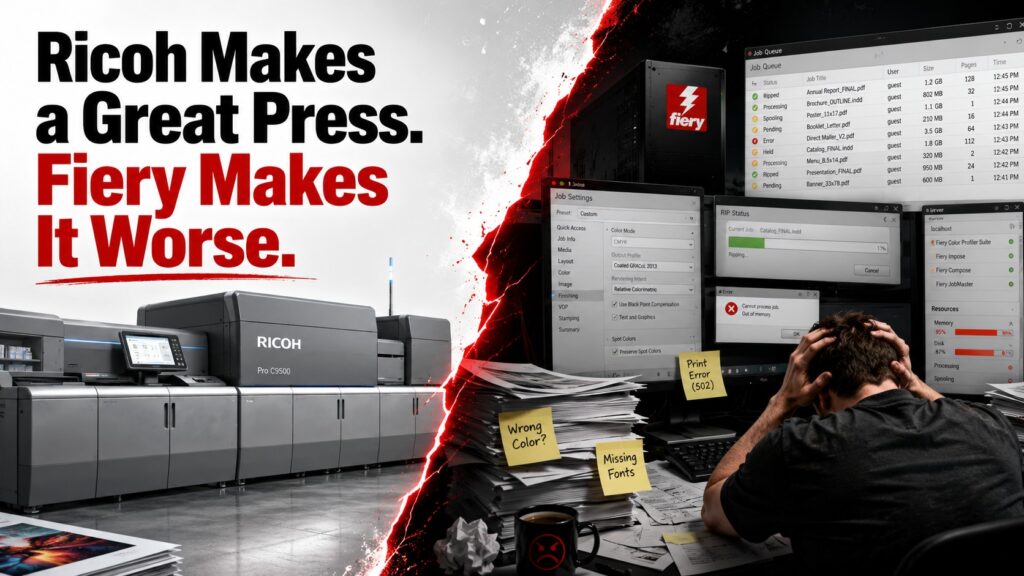
The Ricoh Pro C9500 is a fantastic production press.
Fiery somehow manages to make operating one feel worse than it should.
That may sound contradictory, especially since Fiery is responsible for several genuinely important parts of a production workflow. But spend enough time around modern digital presses and the contradiction starts making perfect sense.
The physical press is excellent.
The software experience wrapped around it is not.
And increasingly, Fiery feels less like the sophisticated brain of a production press and more like an expensive tollbooth Ricoh owners are forced to drive through on the way to their own machine.
First, Give Ricoh Credit
The C9500 deserves praise.
Ricoh built a 135 ppm production engine rated for monthly volumes up to one million pages. It supports media up to 470 gsm, handles oversized sheets, prints at 2400 × 4800 dpi and offers sophisticated automated image-quality technology.
Ricoh’s own literature talks about Auto Color Diagnosis, Image Quality Monitoring, internal scanners that detect imperfections, and automatic corrections designed to keep production consistent. It even promotes a new embedded controller architecture intended to support complex graphic workflows and remote diagnostics.
This is not a dumb copier with a big paper tray.
It is serious production equipment.
Mechanically, the C9500 feels like Ricoh understands exactly what commercial printers need.
Then you open Command WorkStation.
Welcome Back to Fiery
There is a peculiar feeling that comes from standing beside a massive modern production press, looking at automated sensors, vacuum-fed paper drawers and sophisticated registration systems, then returning to the workstation to babysit a Fiery queue.
The press says 2020s.
The workflow often says 2000s with additional menus.
That is not because Fiery lacks capabilities.
Quite the opposite.
Fiery has an almost comical number of capabilities.
Job properties.
Media catalogs.
Presets.
Imposition.
Raster previews.
Color controls.
Spot-color tools.
Variable-data features.
Preflight.
Hot folders.
JobExpert.
ImageViewer.
Compose.
JobMaster.
Graphic Arts packages.
And probably three more applications you will discover accidentally when someone tells you the feature you need isn’t actually inside the application you currently have open.
The result is a system that can do nearly everything while somehow making routine work feel more complicated than it needs to be.
The Hardware Mismatch Is Hard to Ignore
Fiery offers the N-50 and N-70 for the Ricoh Pro C9500.
The N-70 is the serious one.
Ricoh lists 32 GB of RAM, dual 12-core Xeon processors, an SSD boot device and two 2 TB hard drives.
Fine.
But the N-50 is where things start getting silly.
Fiery specifies an Intel Core i5-8500, 8 GB of RAM, an SSD boot drive and a 1 TB hard disk.
Intel says the i5-8500 launched in Q2 2018.
Think about that combination.
On one side of the network is a high-volume 135 ppm production press capable of consuming enormous quantities of data all day.
On the other side, depending on the configuration, is an appliance based around a six-core desktop processor introduced in 2018 with 8 GB of memory and spinning disk storage for jobs.
Nobody designing a high-performance workstation from scratch in 2026 would look at that specification and say, “Perfect. Don’t change a thing.”
Yet in production print, put a red Fiery logo on it and suddenly we’re supposed to admire the appliance.
Yes, the Operating System Is Supported. That’s Not the Point.
Both C9500 Fiery configurations are documented around Windows 10 IoT Enterprise 2019 LTSC.
To be fair, Microsoft continues extended support for Windows 10 IoT Enterprise LTSC 2019 until January 2029.
So this is not an argument that the machine is running an unsupported operating system.
It is an argument about philosophy.
A 2023 flagship press being paired with an embedded operating environment from the 2019 generation and, in the N-50, CPU hardware from 2018 tells you how the DFE industry thinks.
The controller is treated like an industrial appliance.
Freeze it.
Certify it.
Sell it.
Don’t touch anything unless absolutely necessary.
That has advantages for stability.
It also produces the exact sort of stagnant user experience that makes production printers want to throw a keyboard across the room.
Fiery Turns Simple Problems Into Fiery Problems
The frustrating thing about Fiery is how often the troubleshooting process stops being about printing.
Your Ricoh can mechanically feed and register a sheet perfectly.
Then suddenly you’re looking at:
Why won’t this job process?
Why is the raster taking forever?
Why is the queue behaving strangely?
Why is storage full?
Why is disk usage pinned?
Which drive is actually holding the jobs?
Can the jobs drive be moved?
Should I archive the queue?
Can I clear this without destroying something important?
Is this setting stored in the preset, printer, virtual printer, hot folder or job itself?
Why did changing one setting expose four more settings?
Congratulations.
You wanted to print a PDF.
You are now the junior systems administrator for a proprietary RIP appliance.
In our own production use, we have had exactly this sort of experience, including troubleshooting a Fiery server with its job drive running at roughly 100 percent disk utilization. That is the kind of problem that feels particularly ridiculous when the device waiting on the other end is a high-end production press.
Command WorkStation Is Powerful. It Is Also a Mess.
Fiery continues to actively develop Command WorkStation, and the current release line is 7.x. So none of this can be dismissed as criticism of abandoned software.
Command WorkStation deserves credit for giving operators centralized access to queues, job properties, raster previews, presets and multiple Fiery servers.
But being powerful does not automatically mean being well designed.
CWS feels like software built through accumulation.
Need a feature?
Add another panel.
Need a more advanced feature?
Add another utility.
Need professional functionality?
Give it another branded product name.
Need to expose more settings?
Put another tab inside Job Properties.
The workflow grows sideways forever.
And because experienced operators eventually memorize where everything lives, the industry starts confusing familiarity with usability.
Those are not the same thing.
A forklift operator can become extremely good at driving a terrible forklift.
That doesn’t make it a good forklift.
The Licensing Makes the Whole Thing More Irritating
Fiery’s own N-70 versus N-50 comparison sheet illustrates how fragmented the product can become.
Both include Fiery Impose. The N-70 includes additional functionality such as Compose and the Graphic Arts Pro Package under specified five-year subscription terms. Other products such as JobMaster and Color Profiler Suite can be optional. The N-50 leaves more of those capabilities as options.
That means the conversation around a RIP eventually becomes:
Which Fiery?
Which package?
Which license?
Which subscription?
Which accessory?
Which spectrophotometer?
Which software version?
Which workstation?
Which feature did the sales rep mean when he said “included”?
For an ecosystem whose purpose is supposedly making production easier, Fiery has developed an impressive ability to create administration around itself.
Fiery Does Not Make the Ricoh Print Engine Worse
This distinction matters.
Fiery isn’t secretly reaching into the C9500 and making its paper registration bad.
It isn’t weakening Ricoh’s fusing system.
It isn’t making the vacuum feeder worse.
It isn’t responsible for the mechanical build quality of the press.
And Fiery is capable of excellent rasterization and color management.
The criticism is different.
Fiery makes the ownership experience worse than the Ricoh hardware deserves.
It inserts another proprietary system between operator and engine.
Another computer.
Another storage subsystem.
Another operating system.
Another licensing structure.
Another interface.
Another software stack.
Another vendor’s support documentation.
Another thing that can become the bottleneck while the actual press sits there perfectly capable of running.
Fiery’s Biggest Defense Is Also Its Biggest Problem
Ask why Fiery remains so dominant in production environments and you will hear sensible answers.
Operators know it.
Prepress departments know it.
Dealers support it.
MIS systems integrate with it.
Adobe PDF Print Engine is there.
Variable-data workflows are there.
Color-management tools are there.
JDF integration is there.
Fiery’s C9500 documentation specifically promotes integration with systems including Heidelberg Prinect, Kodak PRINERGY, Agfa Apogee and SCREEN EQUIOS.
That ecosystem matters.
But notice what most of those arguments boil down to:
Everybody already uses Fiery.
That is an excellent explanation for why Fiery survives.
It is not proof that Fiery is good enough.
Ricoh Has Already Proven It Can Do Better
The irony is that the C9500 itself demonstrates a much better design philosophy.
Ricoh increasingly automates tasks that previously required specialist operators.
Sensors inspect output.
The press can make automated quality adjustments.
Media handling gets smarter.
Remote diagnostics improve.
Operator subjectivity gets reduced.
That is exactly what good industrial technology should do.
Remove unnecessary intervention.
Reduce mistakes.
Automate repetitive decisions.
Make sophisticated machinery easier to operate.
Fiery seems to come from the opposite tradition.
Expose everything.
Add another setting.
Add another module.
Train the operator.
Charge for another tool.
Call complexity “flexibility.”
What a Better Ricoh Front End Would Look Like
I don’t want less capability.
I want less nonsense surrounding the capability.
A modern Ricoh production workflow should have one coherent job interface.
Preflight should be native.
Imposition should be native.
Media setup should synchronize cleanly with the press.
Registration and quality information should flow back into the same job record.
Storage should be ordinary enterprise SSD storage, easily replaceable and expandable.
Processing hardware should be current and replaceable.
The RIP engine should be abstracted from the workstation interface.
Automation should use modern documented APIs.
Software entitlements should be obvious.
A production manager should not need a decoder ring to determine why one Fiery has a function another Fiery doesn’t.
And if Ricoh still wants to offer Fiery, great.
Offer it.
Just give customers a credible first-party alternative too.
A Great Press Should Not Need This Much Patience
The most frustrating thing about Fiery on the C9500 is that the Ricoh itself sets the bar so high.
If the whole system were mediocre, the software wouldn’t stand out as much.
But the C9500 is not mediocre.
The press is fast.
The media handling is impressive.
The registration capabilities are serious.
The automation is increasingly sophisticated.
The engine feels like a company trying to eliminate the annoying parts of production printing.
And then Fiery puts some of them back.
That is why my problem with the C9500 isn’t the C9500.
Ricoh makes a great press.
It deserves a front end that feels equally great.
Right now, Fiery doesn’t.
References
Ricoh USA, RICOH Pro C9500 specifications and product information.
Ricoh, RICOH Pro C9500 brochure.
Fiery, RICOH Pro C9500 N-50/N-70 information and comparison.
Intel, Intel Core i5-8500 product information.
Microsoft, Windows 10 IoT Enterprise LTSC 2019 lifecycle.
Fiery, Command WorkStation 7 information.