
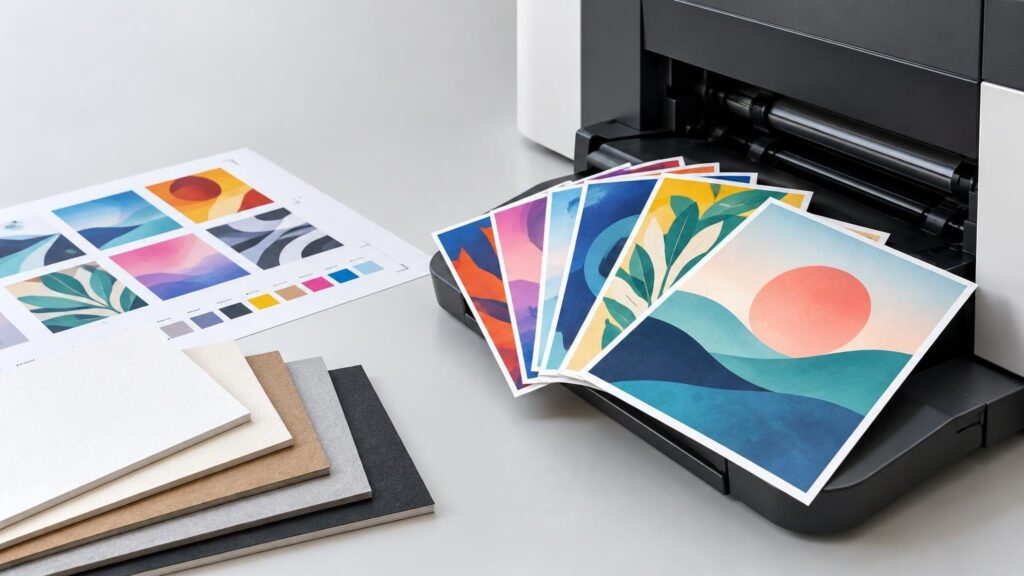
TLDR: Digital printing produces printed pieces from digital image data without making conventional printing plates for every design. That makes it particularly useful for short batches, frequent revisions, multiple versions, print-on-demand work, and personalized pieces. It does not remove the need for preflight, color management, proofing, accurate trimming, or compatible finishing.
What is digital printing in practical terms? It is a category of printing in which a digital file drives the imaging process. The National Institute of Standards and Technology defines it as printing a digital-based image directly to media. See the NIST definition of digital printing. Unlike conventional offset lithography, the workflow does not require a separate physical printing plate to be manufactured for each static image.
The important buyer consequence is flexibility. Changing a name, offer, image, date, or complete design can be primarily a data and prepress task rather than a plate-remaking task. But “digital” describes the file-driven workflow, not one universal machine or image-forming method. A toner press, production inkjet system, and liquid-electrophotographic press can all be digital while putting color onto the substrate in different ways.
How digital printing works
A typical job moves through several control points. The exact equipment and terminology vary, but the production logic usually looks like this:
- Artwork is prepared at the intended finished size, with suitable image resolution, bleed, safe areas, fonts, and color definitions.
- Prepress software checks the file and converts its pages into the rasterized image data the press can reproduce. This is commonly handled by a raster image processor, or RIP, within a digital front end.
- The press forms the image using its particular technology, such as toner-based electrophotography, liquid electrophotography, or inkjet.
- Printed sheets or rolls move into any required finishing, such as cutting, folding, scoring, binding, coating, laminating, or die cutting.
- The job is inspected, packed, and released for shipping or fulfillment.
Eliminating conventional plates shortens one part of the setup chain; it does not eliminate production setup. The operator still has to use the correct substrate settings, impose pages or designs efficiently, manage color, monitor image quality, and keep finishing aligned with the printed image. A file can be technically printable and still produce a poor piece if a fold crosses text, a thin border exposes trim variation, or an image lacks enough detail.
The main types of digital printing
Dry-toner electrophotographic printing
In a toner-based system, electrostatic imaging helps place colored toner in the required areas before the image is transferred and fixed to the substrate. Office laser printers use related principles, but commercial digital presses are designed around production workflows, media handling, color control, repeatability, and finishing requirements. Therefore, digital printing is not simply another name for laser printing: laser or electrophotographic printing is one branch of the larger category.
Production inkjet
Inkjet systems place very small drops of ink in digitally controlled patterns. The category includes different printhead, ink, transport, drying, and substrate configurations. Kodak, for example, describes Stream as a continuous-inkjet technology for digital production. The practical questions are not merely whether a machine is “inkjet,” but whether the ink, media treatment, drying system, resolution, and finishing sequence suit the application.
Liquid electrophotography
Liquid electrophotography illustrates why digital does not always mean that ink is sprayed straight onto paper. HP describes its Indigo process as electronically imaging a plate, developing the image with charged liquid ink particles, transferring it through a heated blanket, and then transferring it to the substrate. This is still digital printing because the image is generated from digital data without manufacturing the conventional static plates used for an offset run.
What the no-plate workflow changes
The clearest advantage is economical flexibility at the setup stage. If a project needs 100 copies today and an updated version later, a digital workflow can avoid remaking conventional plates for the second file. This often makes digital production attractive for short or uncertain quantities, although there is no universal run length at which it becomes cheaper than offset. Size, coverage, stock, finishing, spoilage, press availability, and purchasing terms all affect the quote.
Digital production also makes versioning easier. A conference can print badges or schedules in groups, a retailer can vary an offer by location, and a creator can test a small card batch before committing to a larger run. Revisions still require control: filenames, approval status, page counts, and quantities must remain unambiguous so that flexibility does not turn into version confusion.
Variable-data printing goes further by changing selected content from one impression to the next. Names, addresses, serial numbers, barcodes, QR codes, images, or offers can be populated from a data source. PRINTING United Alliance identifies variable-data printing as a digital-print application. Its variable-data printing overview provides further industry context.
A variable job needs both artwork and data quality control. The template must leave room for the longest expected name or value, each field must map to the correct record, and codes must remain readable. Buyers should request a representative proof set that includes short, long, typical, and unusual records rather than reviewing only the first entry in a database.
Digital printing vs. offset printing
| Decision point | Digital printing | Offset printing | What the buyer should ask |
|---|---|---|---|
| Image setup | Uses file-driven imaging without conventional plates for each design | Requires plate production and press makeready | How many versions, revisions, and reorder cycles are expected? |
| Personalization | Can change text or images between pieces when the workflow supports variable data | Normally repeats the plate image throughout the run | Does every piece stay identical, or must records vary? |
| Quantity economics | Often attractive for short, uncertain, or segmented runs | Setup can be spread across a longer run | What are the delivered quotes at the actual quantity and specification? |
| Color planning | Depends on the press, color configuration, substrate, profile, and calibration | Can use process inks and, where specified, dedicated spot inks | Is the target an acceptable visual match or a tightly controlled brand color? |
| Revisions | A corrected file can avoid plate remanufacture, subject to production status | A changed static image generally requires new plates | When is approval final, and what happens after production begins? |
| Finishing | Must be compatible with the printed sheet, ink or toner layer, and job layout | Must likewise be planned around ink, stock, imposition, and finishing | Are folds, scores, coatings, laminates, or custom cuts involved? |
Offset is not automatically better for quality, and digital is not automatically faster or cheaper. Those claims are too broad to guide a real purchase. Compare quotes using the same dimensions, stock, quantity, color requirement, finishing, proof level, packing, and delivery destination. If exact brand-color reproduction matters, describe the target explicitly and ask what proof or production control is available rather than relying on the word “digital” or “offset.”
What changes the finished look and feel?
The press process matters, but it is only one part of the result. Substrate white point influences perceived color. Surface texture can affect image appearance and fine detail. Heavy color coverage may behave differently from sparse text and line work. A laminate or coating can alter gloss, contrast, tactile feel, and downstream handling. Folding, scoring, cutting, and binding then determine whether the printed image lands where the design expects it to land.
Bleed is required when artwork should continue to a cut edge. It extends the background or image beyond the finished trim so normal cutting variation does not expose an unintended unprinted sliver. A safe area keeps text, QR codes, logos, and other essential content away from the cut. Thin borders positioned near the trim are especially unforgiving because even a small shift becomes visually obvious. Printiverse’s guide to die cutting and production tolerances explains the same issue for custom-shaped pieces. Its artwork guidance likewise calls for bleed at printed edges and recommends keeping important content in the safe area.
Resolution is another input, not something proofing can manufacture after the fact. Enlarging a small raster image may reveal pixels or softness. A proof can expose that problem, but it cannot restore detail that is absent from the source file. Review placed images at their intended output size rather than assuming that a large pixel count or a sharp screen preview guarantees suitable print detail.
Digital proofs and physical proofs answer different questions
A digital proof is useful for checking content: spelling, page order, image placement, cropping, bleed, and general layout. It may also preview color, but an ordinary screen is not the printed substrate and may be brighter, differently calibrated, or viewed under different lighting.
A physical proof or production sample is more useful when the decision depends on material, finish, opacity, thickness, texture, folding behavior, or a demanding color expectation. Printiverse distinguishes screen-based digital proofs from physical proofs used to assess the printed design, material, and finish. The practical choice depends on the cost of being wrong. For a simple low-quantity piece, a digital proof may be sufficient; for a large, color-sensitive, or structurally complex order, the time and cost of an appropriate physical proof may be easier to justify. See the guide to samples and physical proofs for a fuller comparison.
When digital printing is a good fit
Digital printing deserves serious consideration when the job benefits from flexibility more than it benefits from spreading conventional setup across a long run. Common scenarios include:
- A short initial batch used to validate content, demand, or packaging.
- Event materials that may require late date, speaker, sponsor, or location changes.
- Several regional or audience-specific versions sharing one basic design.
- Personalized mailers, invitations, badges, certificates, or membership pieces.
- Sequentially numbered pieces or designs with record-specific barcodes and QR codes.
- Short reorders where storing a large finished inventory would create obsolescence risk.
- Custom cards or invitations with modest quantities and a proofing-first approval process. The custom card and invitation printing guide covers that ordering context in more detail.
Digital may be less compelling when a long, stable run strongly favors another process, when a required substrate or format is incompatible with the available digital equipment, or when the color specification depends on a dedicated ink the proposed press cannot reproduce as required. The correct comparison is between actual production plans, not between abstract labels.
Questions to ask before ordering
- What is the final trim size, and how much bleed and safe-area allowance does the product require?
- What file format, color setup, image resolution, and font handling does the printer request?
- Will every piece be identical, or will text, images, numbers, barcodes, or QR codes vary?
- If data varies, who is responsible for cleaning it and approving representative records?
- Which substrate, thickness, texture, coating, or laminate will be used?
- Are scoring, folding, binding, drilling, custom cutting, or other finishing steps required?
- Is a digital proof enough, or must the material, finish, structure, or critical color be evaluated physically?
- Does the schedule distinguish proof approval, production, finishing, shipping, and the required in-hand date?
- What happens if artwork changes after proof approval or production has started?
That final schedule question prevents a common planning error. Production turnaround and carrier transit are separate stages, and proof approval can sit before both. Work backward from the date the pieces must be in hand, not merely from the date the file is uploaded.
Frequently asked questions
Does digital printing use ink or toner?
It can use either. Production inkjet uses ink, dry electrophotographic systems use toner, and liquid-electrophotographic systems use charged liquid colorants. Ask which process is proposed for the specific job if surface appearance, substrate compatibility, durability, or finishing is important.
Is digital printing the same as laser printing?
No. Laser and electrophotographic printing fall within the broader digital category, but digital printing also includes production inkjet and other file-driven imaging technologies.
Does digital printing use plates?
Digital workflows avoid manufacturing the conventional static plates required for offset lithography. Some digital systems use an electronically imaged surface or intermediate transfer component inside the press, but that is different from preparing a fixed offset plate for each design.
Can every printed piece be different?
Potentially, when the press and workflow support variable-data printing. The artwork template, database, field mapping, code generation, and inspection plan must all be designed for that variability. Capability should be confirmed for the proposed product and order.
Why might a screen proof differ from the finished print?
A screen emits light, while print reflects light from ink or toner on a physical substrate. Monitor calibration, viewing conditions, substrate color, surface finish, press gamut, color conversion, and coatings can all affect the comparison. Use the proof type appropriate to the decision you need to make.
The practical takeaway
Digital printing is best understood as a flexible, file-driven production category rather than a single press technology. Its no-conventional-plate workflow can make short runs, revisions, versioning, and personalization practical, but it does not rescue weak files or remove physical tolerances.
Before ordering, define the quantity, number of versions, finished size, substrate, finishing, color expectation, proof requirement, and in-hand deadline. Then compare digital and offset plans against that same specification. The right process is the one that controls the risks of the actual job while delivering the required piece—not the one with the more fashionable label.