
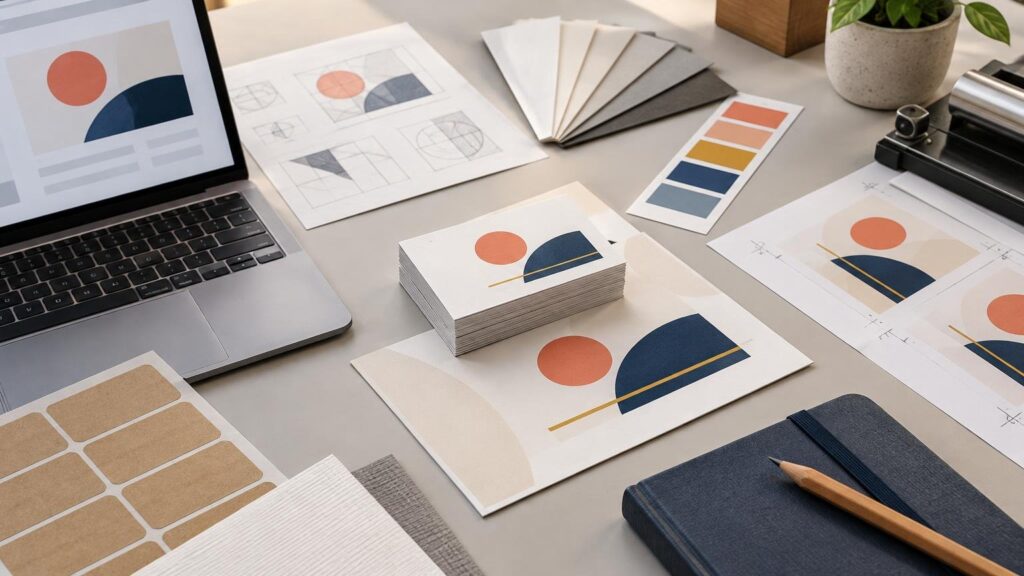
A new business rarely needs every possible branded item on day one. It needs a legally usable name, a flexible logo system, a functional website and a small set of printed pieces tied to real customer interactions. Start with the assets that remove friction from selling. Test quantities before committing to a large print run, especially while contact details, packaging and offers may still change.
TLDR: Build the system before buying the merchandise
- Confirm the business name, registration requirements and essential operating details before paying for permanent branding.
- Create a logo package with vector source files, practical color specifications and versions for light and dark backgrounds.
- Publish a mobile-friendly website with clear contact information, readable text, accessible navigation and one obvious customer action.
- Order only the printed pieces required by the first sales channel: cards for networking, labels for packaging, or postcards for a defined campaign.
- Approve copy, dimensions, bleed, safe areas, QR codes and finish through the printer’s proofing process. Keep the approved files and specifications for reorders.
1. Settle the business foundation before the visual identity
Printing a polished brand name does not make that name legally available. Before ordering cards, signs or packaging, work through the relevant launch requirements. The U.S. Small Business Administration launch guidance covers business structure, registration, tax IDs, licenses, permits, banking and insurance. Which steps apply depends on the business, location and legal structure.
Name clearance also deserves more than a quick web search. The USPTO advises searching its federal trademark database and, where appropriate, conducting broader clearance research. Similar marks used for related goods or services may create a likelihood-of-confusion problem, and logo elements can require searching as well. Review the USPTO’s trademark-search guidance before turning a tentative identity into permanent print.
This order matters financially. A website name can often be updated with concentrated effort; replacing inventory, labels, uniforms and signage is slower and more expensive. Treat name clearance and professional legal advice, where needed, as upstream production controls.
2. Build a logo package that works beyond the website
A launch logo should be a production asset, not merely a picture that looks good in a browser. Keep the editable vector source and export approved versions for routine use. PDF, AI, EPS and SVG are common vector formats suited to logos, typography and line art because they retain sharp edges when resized. Raster artwork must have enough resolution at its final output size.
Create at least a primary logo, a compact version and a one-color version. Test each at business-card scale. Fine lines, tiny type and intricate symbols that survive on a desktop monitor may fill in, disappear or become visually muddy when printed small.
Record the approved logo version, source artwork, export files, intended color specification, substrate notes, finish and an approved proof or sample reference. Identical CMYK values can appear different across papers, films, coatings, laminates, presses and ink sets, so a CMYK recipe alone is not a complete color-control system. The brand color consistency workflow explains how to document targets across products.
3. Launch a useful website, not a digital brochure maze
The first website can be small. It should explain what the business offers, who it serves, how to buy or inquire, and how to make contact. Confirm that the domain, email address and phone number are final before placing them on printed inventory.
Accessibility belongs in the initial build rather than a later repair list. WCAG 2.2 addresses concerns including text contrast, visible keyboard focus, reflow at narrow viewport widths and unnecessary images of text. The W3C WCAG 2.2 standard provides the authoritative criteria. In practical launch terms, use readable text, descriptive links, clear form labels and navigation that works without a mouse.
Test every QR code from the same final PDF submitted for printing. A working code in the design application can still fail after resizing, cropping or editing. Point it to a stable page that can redirect later rather than embedding a short-lived campaign destination directly into thousands of pieces.
4. Choose the smallest print kit that supports the sales plan
| Printed piece | Order it first when | Wait when |
|---|---|---|
| Business cards | Sales depend on meetings, referrals, events or local networking | Nearly every customer journey begins and ends online |
| Product labels | Physical goods need identity, instructions or organized packaging | Packaging dimensions and required copy are still changing |
| Stickers | You need package seals, inserts, handouts or branded extras | There is no defined placement or distribution plan |
| Postcards | You have a specific audience, offer, route or follow-up campaign | The mailing list, offer and tracking method are unresolved |
Business cards are useful when a conversation needs a physical follow-up cue. Keep the first version simple: name, role, company, primary contact route, website and a short description if the business name does not explain the service. Avoid ordering a year’s supply while roles, addresses or offers remain fluid.
Labels and stickers solve different production jobs. Labels commonly support repeated application to packaging, while individually cut stickers work well as handouts and inserts. If either belongs in the launch kit, customstickers.com provides custom stickers, labels and vinyl options with artwork-preparation and proofing workflows. Match the format to how employees or fulfillment partners will apply it, not just to how it looks in a product mockup.
Postcards make sense when there is a campaign behind them. Retail First-Class Mail postcards must meet USPS shape, size and thickness limits to qualify for postcard pricing; larger pieces may be charged as letters. Check current USPS postcard dimensions before locking the design or stock. For neighborhood distribution, Every Door Direct Mail Retail uses carrier routes and has separate quantity and mailpiece requirements. USPS EDDM guidance should be part of planning before printing. The broader small-business direct marketing guide can help connect the piece to an offer and measurement plan.
5. Preflight the files and approve the physical job
For cards, postcards and similar flat pieces, prepare artwork at final size. Raster images should generally be 300 DPI at that size. Add bleed when color or imagery reaches an edge, and keep critical text, logos and QR codes inside the safe area. A common starting point is 0.125 inch for bleed and safe margin, but the product template controls when it specifies something different. Use the artwork and file setup guide for a fuller preflight sequence.
A practical launch order
Finish the business and name checks first. Then freeze the logo package and website contact details. Order one small, channel-specific print run and document exactly what was approved: file version, dimensions, stock or material, finish, quantity and proof. That record turns a successful first order into a repeatable production specification—and prevents the second order from becoming another round of guesswork.
References
- Launch your business – Small Business Administration
- Federal trademark searching | USPTO
- Artwork & File Setup Guide – Printiverse
- How to Keep Brand Colors Consistent Across Stickers, Cards, Labels, and Invitations – Printiverse
- Web Content Accessibility Guidelines (WCAG) 2.2
- Sizes for Postcards | Postal Explorer
- Every Door Direct Mail (EDDM) – Targeted Mail Marketing | USPS
- Proofing & Approval Process – Printiverse
- Samples And Physical Proofs – Printiverse